
The Sales Dashboard provides a complete view of how revenue flows through your payment system — from gross sales and net sales to refund activity and refund rate.
This dashboard helps teams monitor top-line performance, measure refund impact, and identify areas for revenue recovery or operational improvement.
KPI Section (Top)
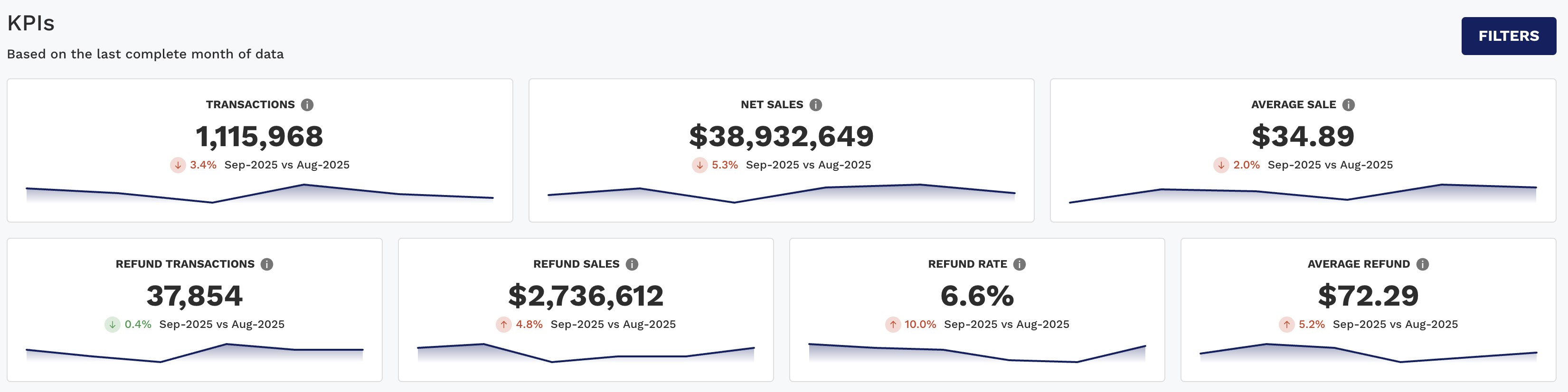
The KPI section gives you a real-time summary of both sales and refunds so you can quickly assess overall transaction health and customer behavior.
|
KPI |
Description |
|---|---|
|
Transactions |
Count of all captured/settled transactions. |
|
Net Sales |
Total sales minus refunds — your true revenue after returns. |
|
Average Sale |
Net Sales divided by all transactions, refunds included — so it is the average value per transaction after returns, not the value of a single sale in isolation. |
|
Refund Transactions |
Total number of refunded transactions. |
|
Refund Rate |
Refund Sales divided by Gross Sales — the share of gross sales value returned to customers. It is not a count of refunded transactions, so a few large refunds can lift it while the number of refunds stays flat. |
|
Refund Sales |
Total dollar amount refunded. |
|
Average Refund |
Average value per refund transaction. |
These KPIs include period-over-period comparisons (e.g., Feb vs Jan), with arrows and color indicators to highlight performance changes.
Charts Tab (Dynamic Charts)
This tab allows you to track trends and compare segments over time across both sales and refunds.
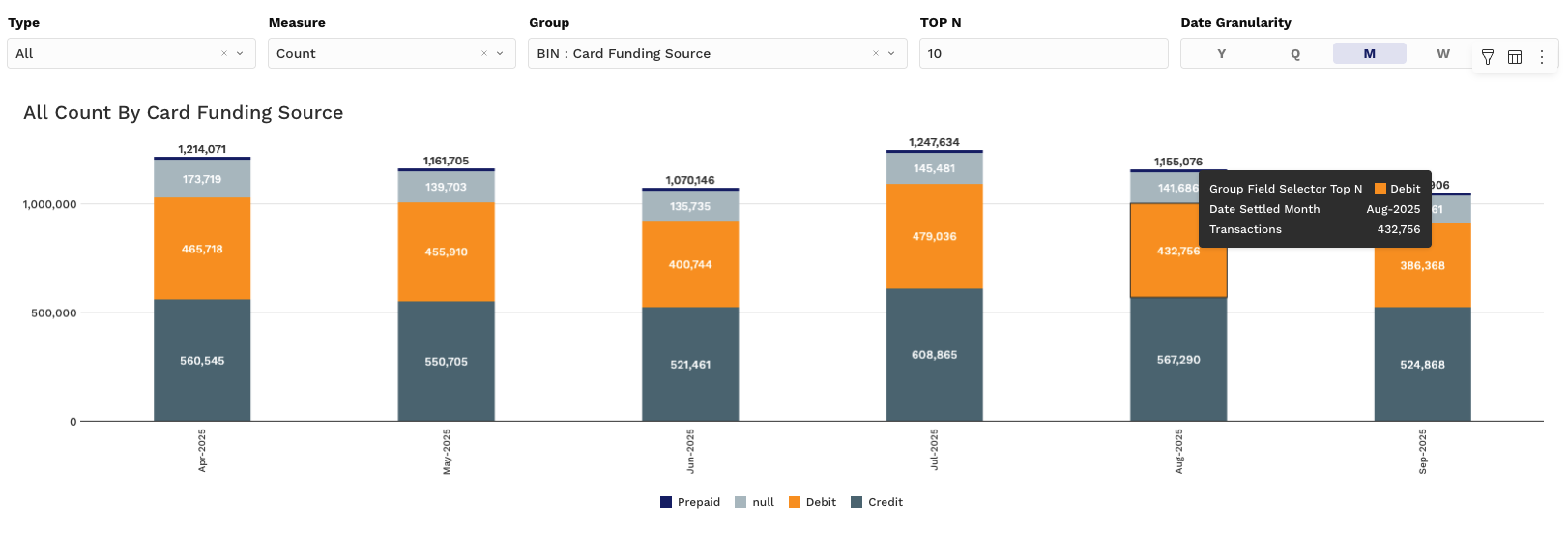
Chart 1: Refund Rate Over Time (Line Chart)
-
Y-Axis: Refund Rate (%)
-
X-Axis: Time period (Month, Week, etc.)
-
Grouping: Choose from fields like Card Type, Region, PSP, or MID
Use this to monitor refund trends and identify any seasonal or segment-specific spikes in returns.
Charts 2 & 3: Volume and Value Comparisons (Stacked Bar)
These charts let you toggle between sales and refund views and analyze how volume and value are distributed.
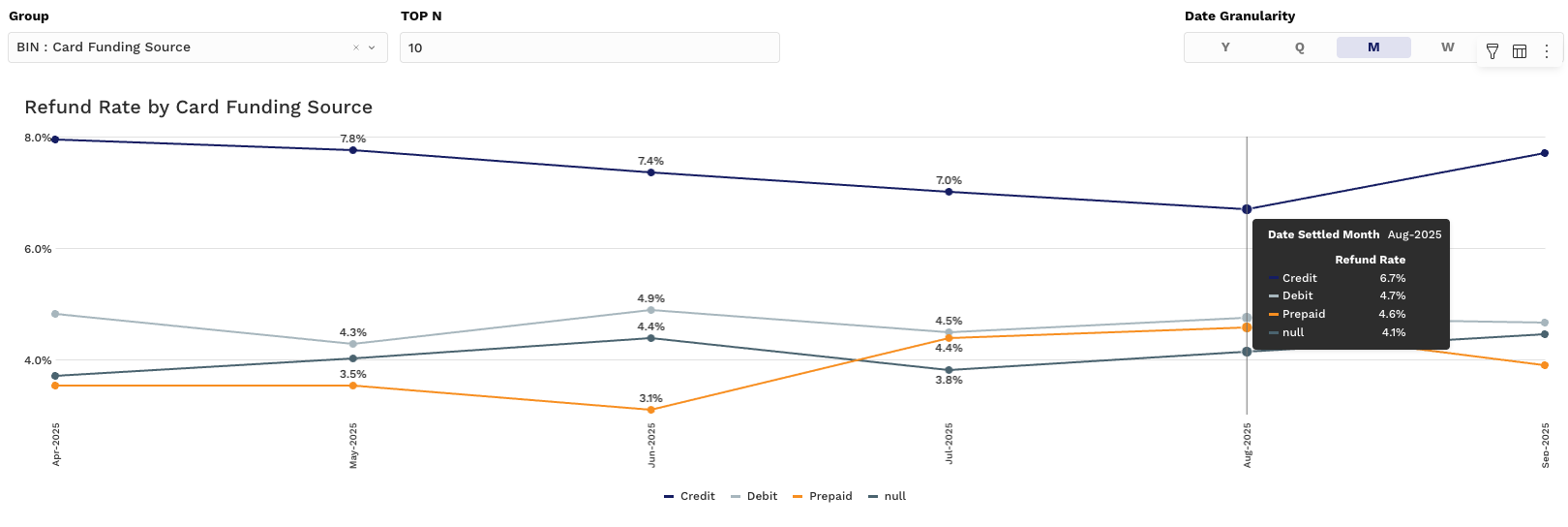
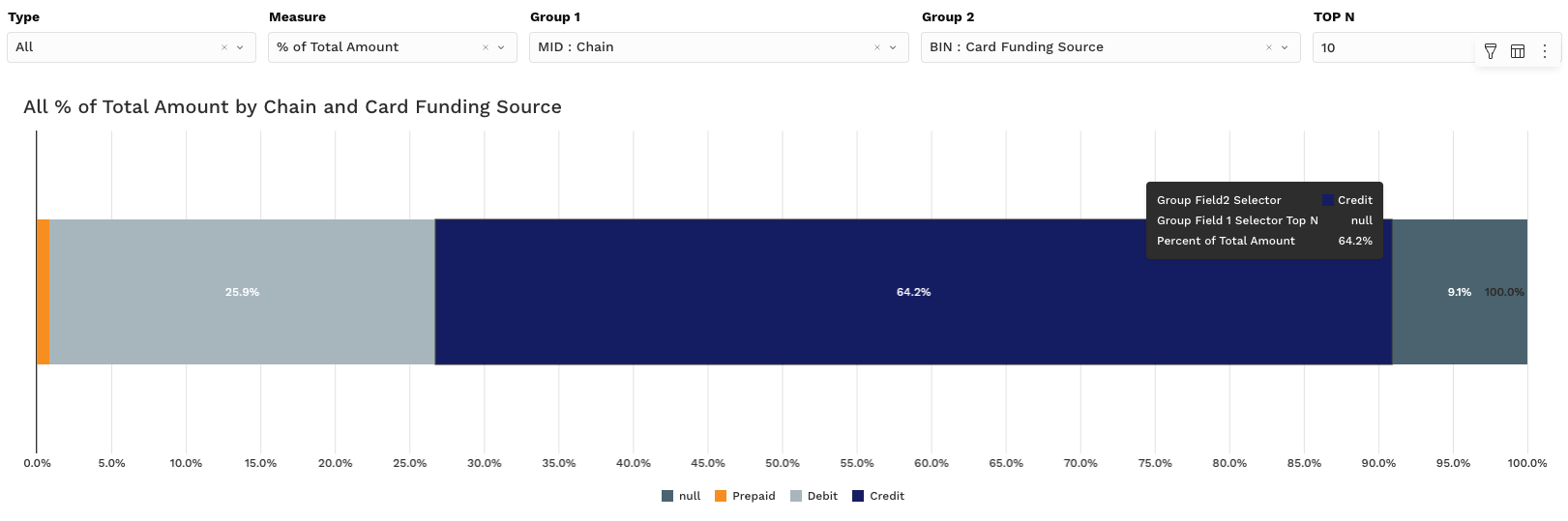
Controllers:
-
Type Controller
-
All – shows both Sales and Refunds side-by-side
-
Sale – isolates only sales activity
-
Refund – focuses only on refund activity
-
-
Measure Controller
-
Count – Number of transactions
-
Amount – Dollar value
-
% of Total Count – Share of volume
-
% of Total Amount – Share of sales or refunds by group
-
Use these to:
-
Identify high-refund merchant segments or payment types
-
Compare contribution of PSPs to gross vs. net revenue
You can layer in grouping fields and change date granularity to fine-tune your trend comparisons.
Pivot Tab (Dynamic Pivot Tables)
For more granular reporting and reconciliation, the Pivot section breaks down all sales and refund-related values by group.
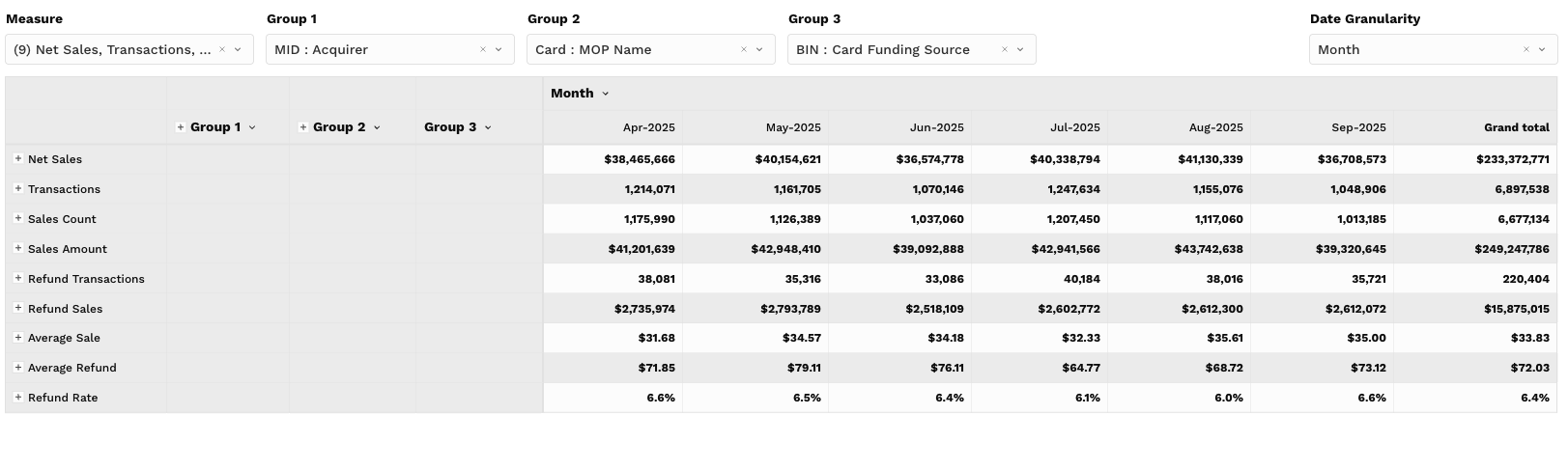
Pivot Table Metrics (Values):
-
Net Sales
-
Transactions
-
Gross Transactions — Count of sale transactions before refunds are netted out; use it as the volume baseline when judging refund activity.
-
Gross Sales — Sale value before refunds are netted out; compare it with Net Sales to see how much revenue refunds are giving back.
-
Refund Transactions
-
Refund Sales
-
Average Sale
-
Average Refund
-
Refund Rate
-
Effective Rate — Total processing cost as a percentage of sales; use it to compare cost efficiency across groups of very different size.
-
Effective IC Rate — The interchange portion of that cost as a percentage of sales; check it when the Effective Rate moves to see whether interchange is the driver.
-
% of Total Net Sales — Each group’s share of net sales, showing where revenue is concentrated.
-
% of Total Transactions — Each group’s share of transaction count; read it alongside % of Total Net Sales to spot groups carrying many small tickets or a few large ones.
Key Interactions:
-
Group by PSP, MID, Card Brand, Method of Payment, etc.
-
Compare refund rates by region or sales channel
-
Export results to CSV or Excel for audit, finance, or operational follow-up
Ideal for answering: “Where is refund volume disproportionately high relative to sales?”
Filtering Tips
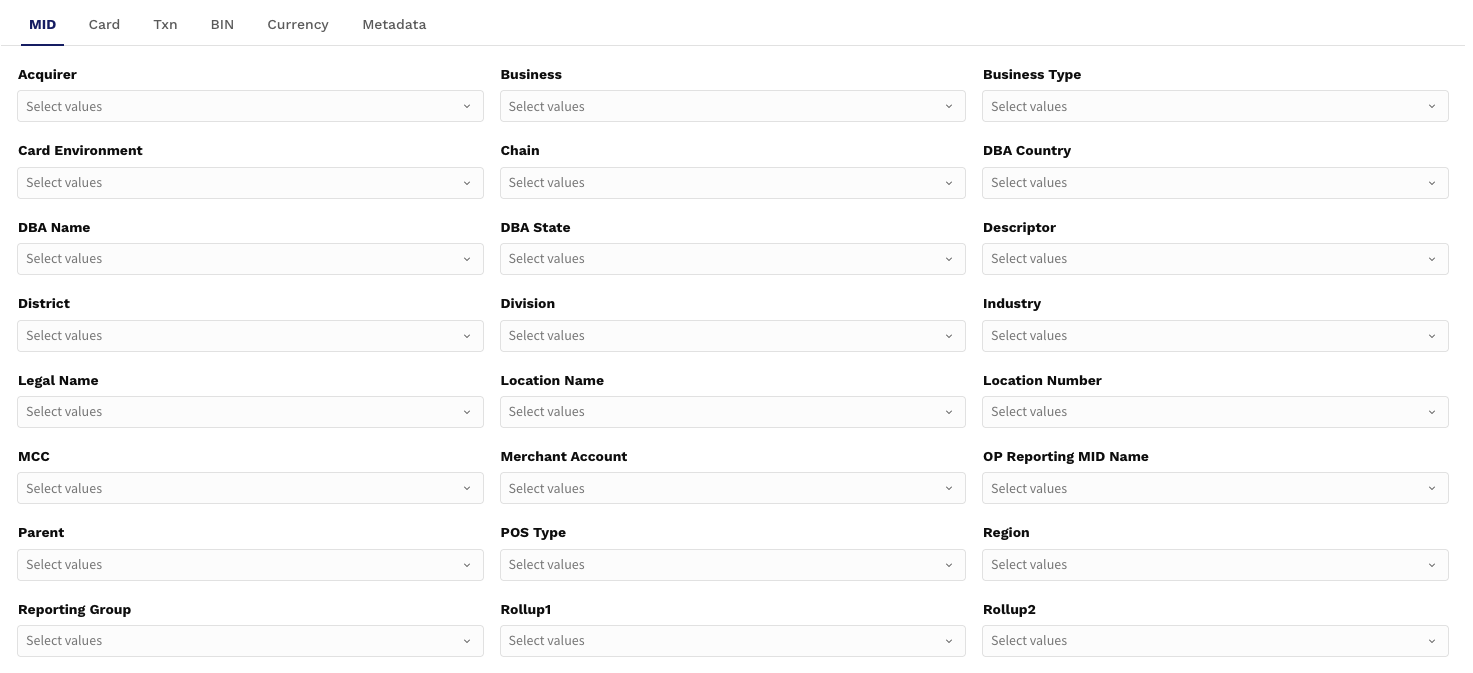
To customize your Sales Dashboard experience:
-
Date Range: Focus on current month, quarter, or custom time periods
-
Amount Range: Analyze high-value refunds or large sales transactions
-
Group Filters: Isolate specific merchant IDs, PSPs, or card brands
-
Top N: Limit charts/pivots to the top refunding divisions or highest-selling MOPs
Use Case Example:
“How are refunds trending for high-dollar sales from the top 5 MIDs over the last quarter?”
Filter by Date Range = last quarter
Set Amount Range = $500+
Apply Group Filter = MID
Top N = 5
Analyze via Chart 1 and Pivot