
Required Information
-
Access to your CyberSource portal
-
Contact for your CyberSource relationship manager
Supported API Reports
-
Conversion Detail
-
Decision Manager Detail
-
Invoice Detail
-
Payer Authentication Detail
-
Transaction Request
Grant Optimized Payments Access to your CyberSource Account
-
Log into your CyberSource account.
-
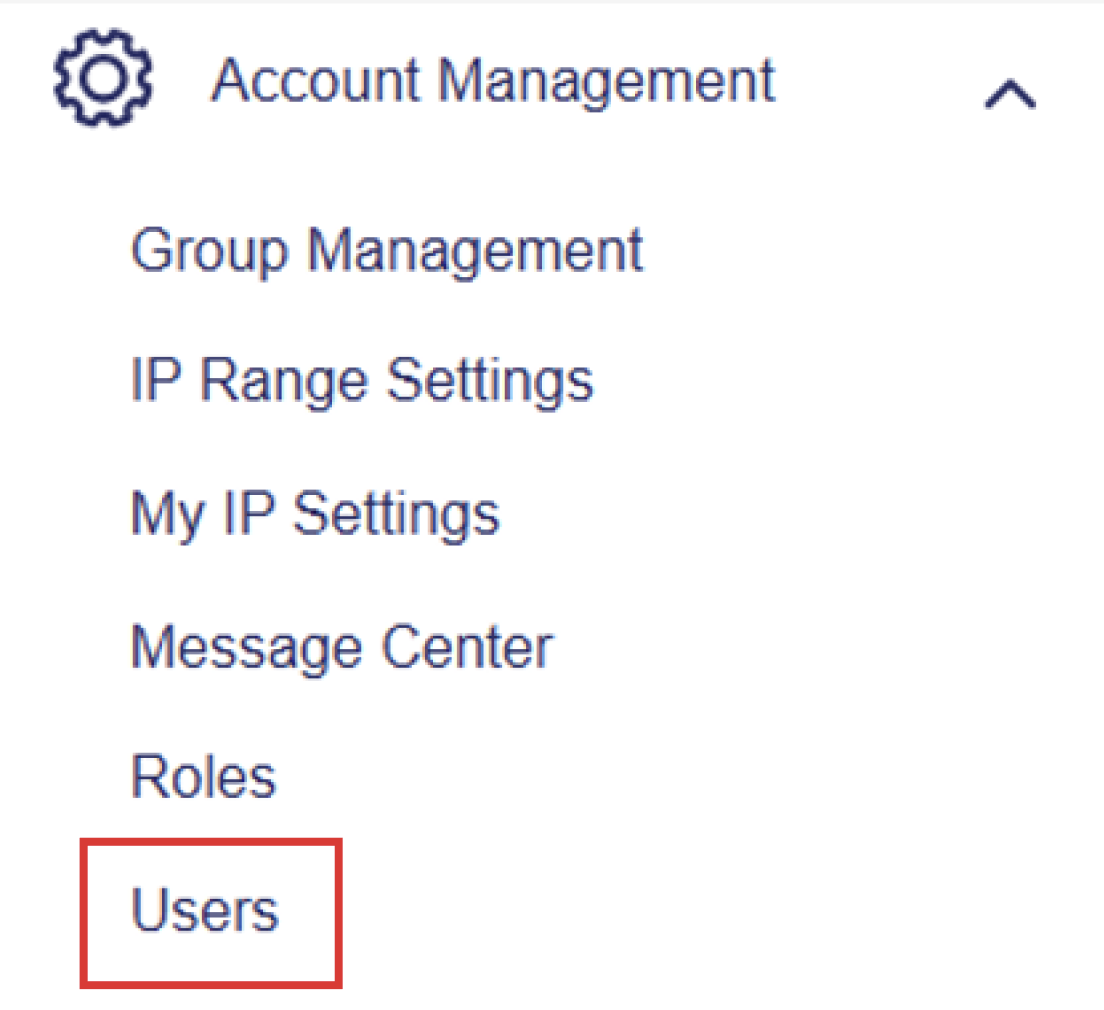
Go to Account management, then click on Users in the drop down.
-
From that page, click Create new user.
-
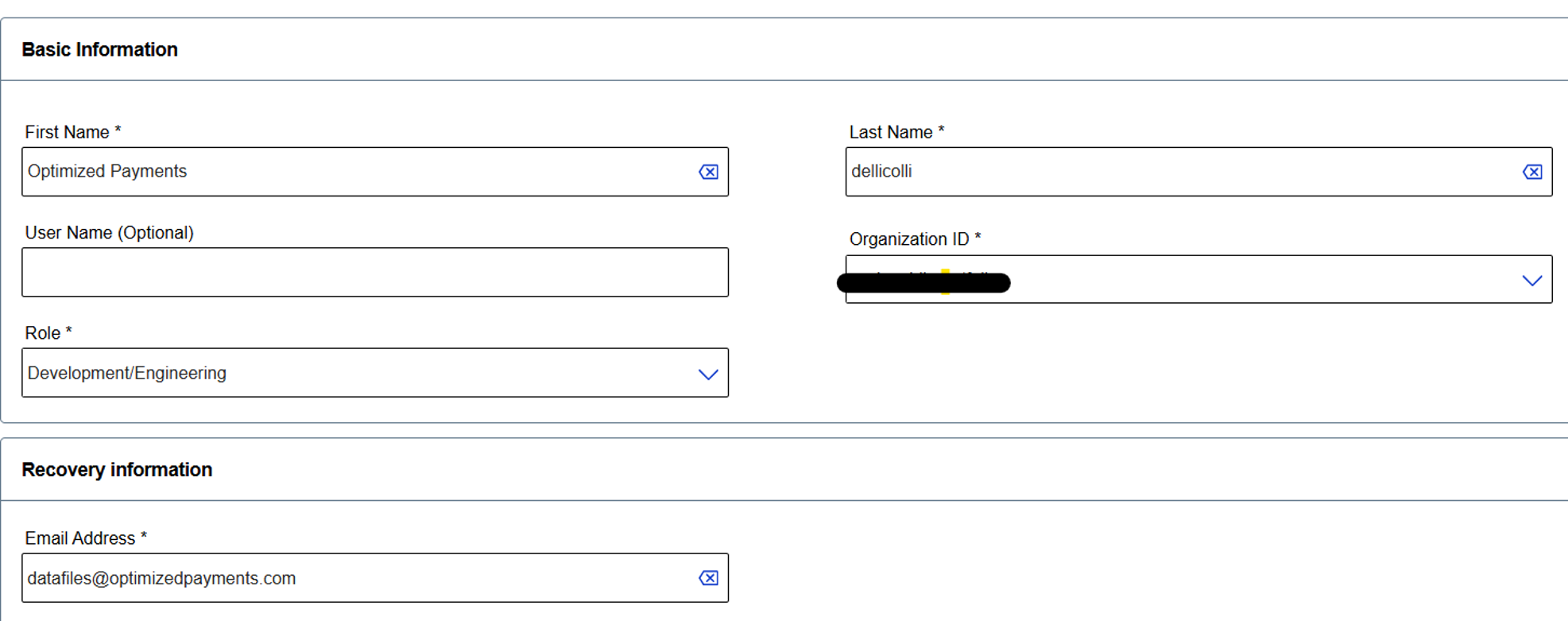
Create a new user using [email protected] and assign role of Development/Engineer.
-
Save user. Notify your client success specialist that an account has been created for them.
-
Through this account, Optimized Payments will be able to add an API key, schedule reports and begin file import process. It will also be used to validate that data coming through is complete and accurate.
-
Connect Optimized Payments with your CyberSource relationship manager via email ([email protected]) in case we need any assistance with setup.
CyberSource support: 1-800-709-7779