
Required Information
-
PayPal relationship manager’s contact
-
Access for Optimized Payments to your PayPal account
-
SFTP credentials (host, username, and password or SSH key)
-
Scheduled delivery of STL and DDR files
-
Merchant ID (MID) for each account to be onboarded
Supported SFTP Reports
-
DDR (Disputes)
-
STL (Settlements)
-
TRR (Transactions)
Step 1- Set up access in your PayPal account for Optimized Payments
-
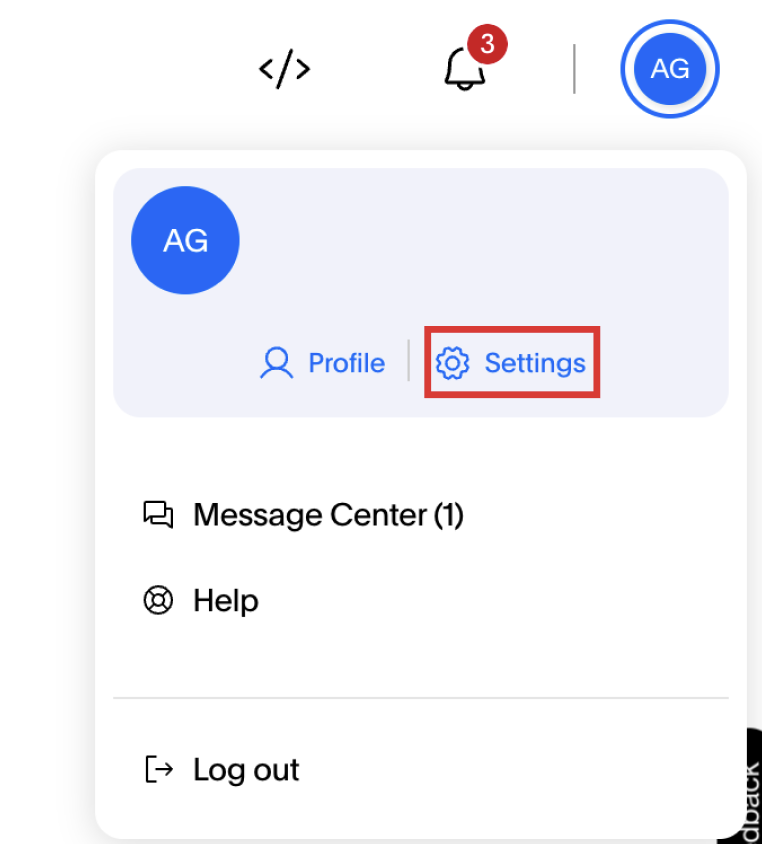
Click on your name in the upper right corner.
-
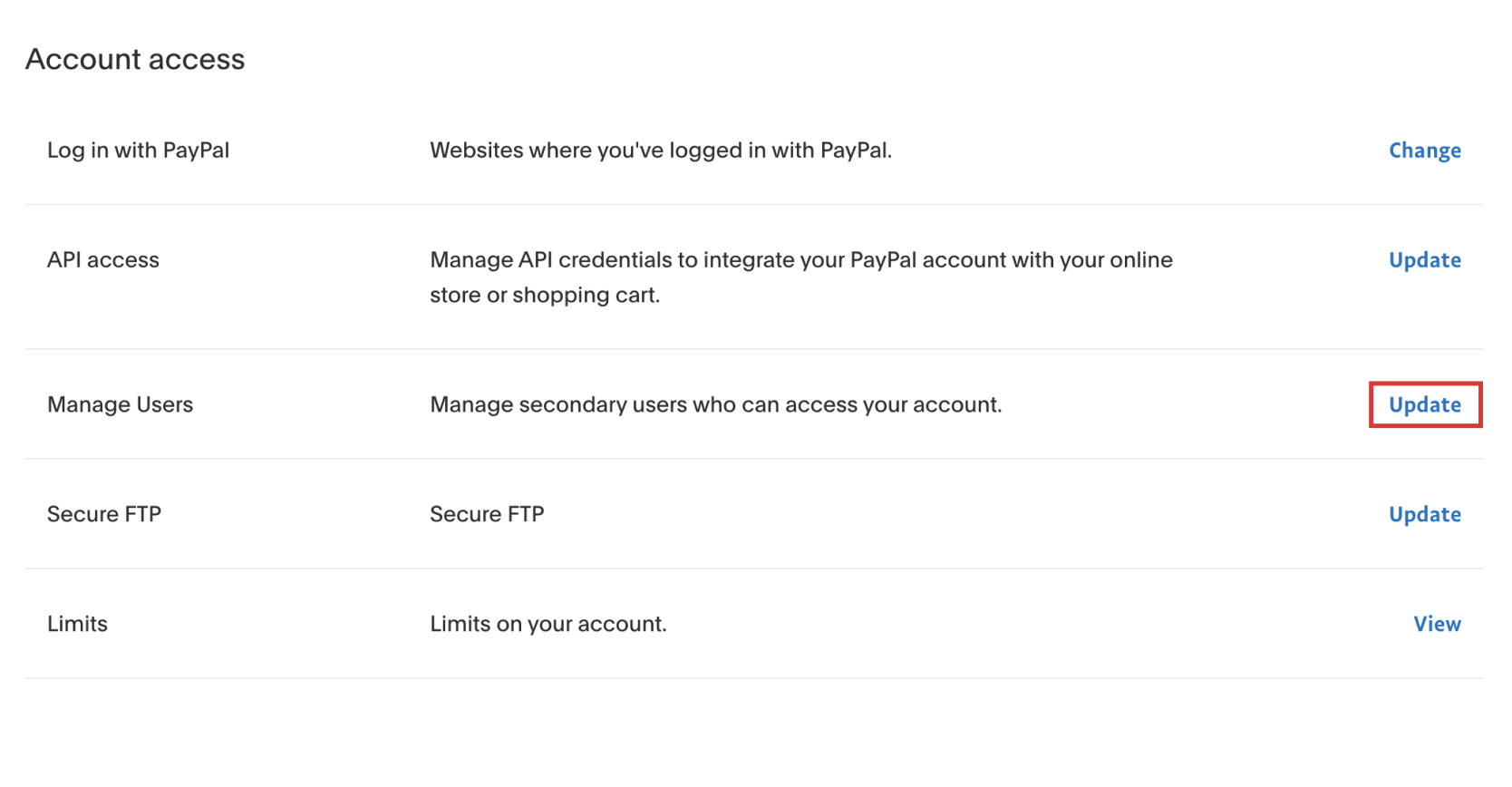
Click Update next to the Manage Users section.
-
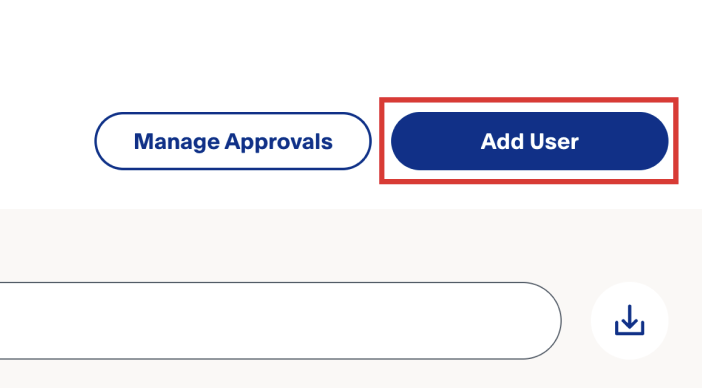
Click Add User.
-
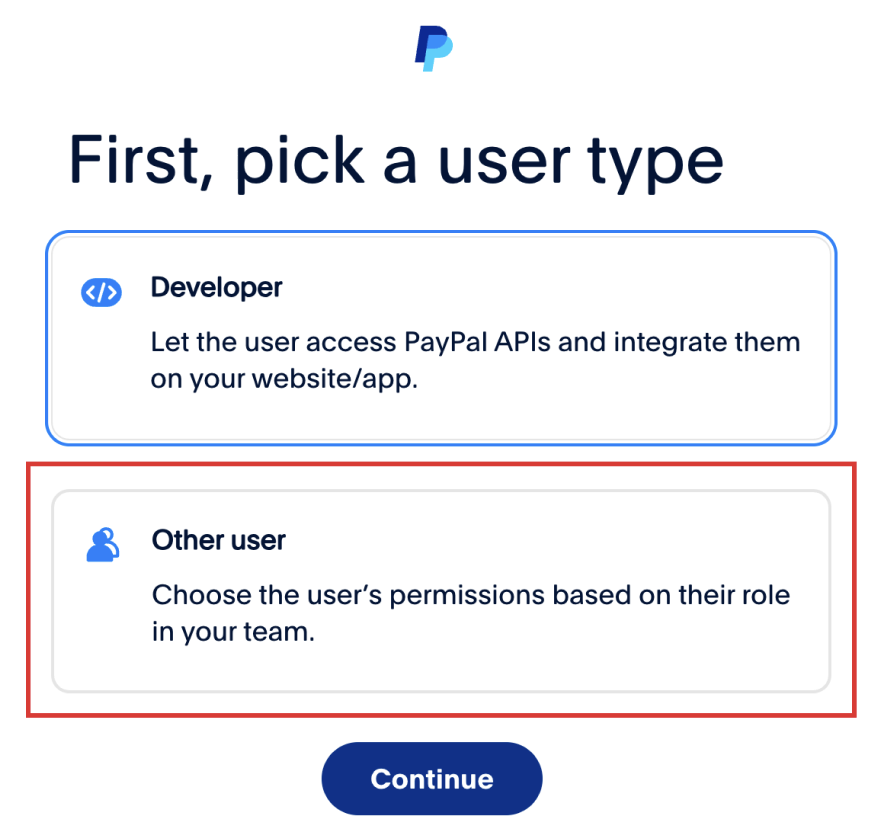
Pick the “Other user” type and click continue.
-
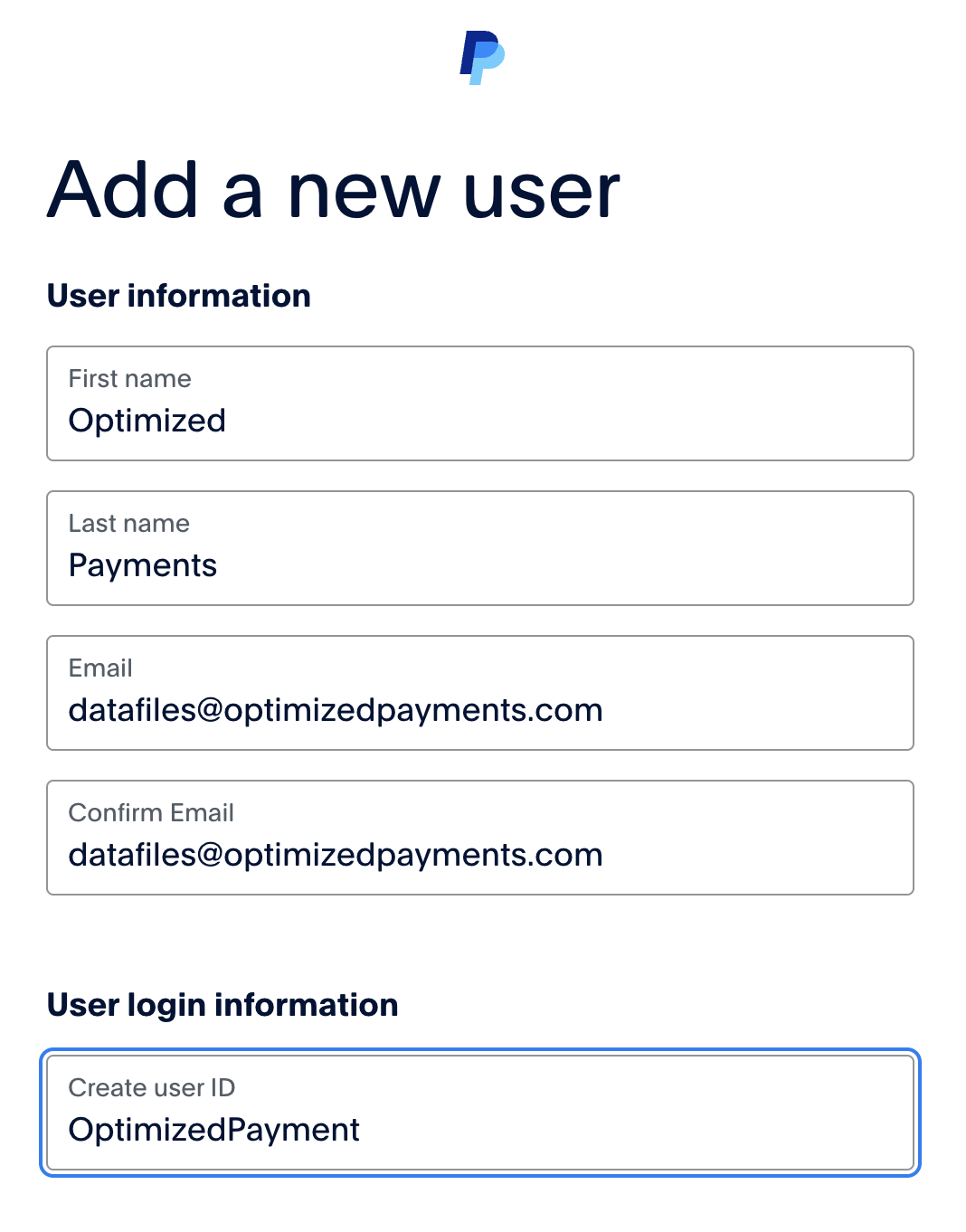
Enter the following details, then click Continue.
-
-
Email: [email protected]
-
First Name: Optimized
-
Last name: Payments
-
Username: OptimizedPayments or similar
-
-
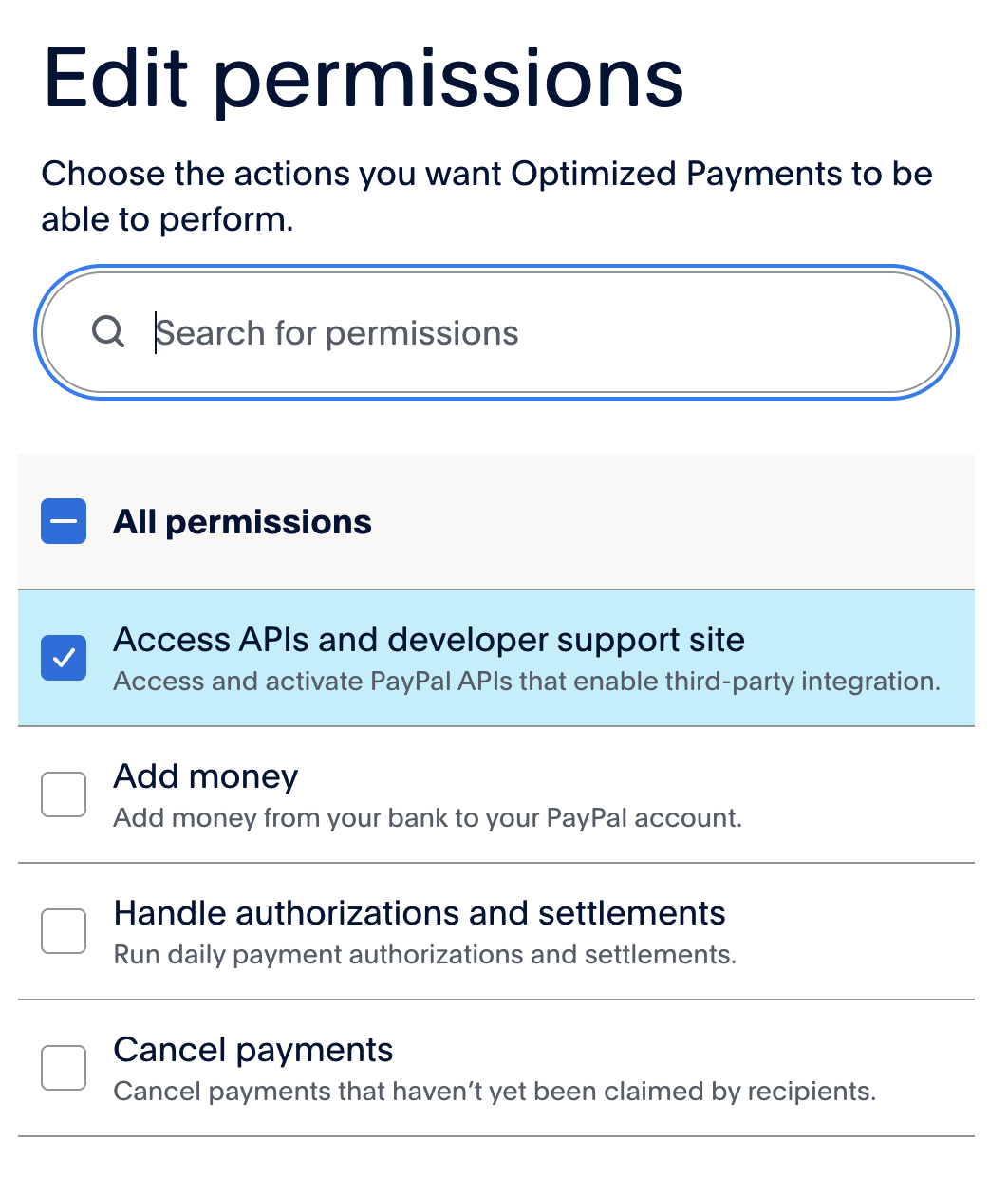
Use the search bar and checkmark to assign the following permissions:
-
-
Access Reports
-
Access APIs and Developer Support Site
-
Contact Customer Service
-
See activity
-
-
Click your name in the upper right corner, then Settings.
-
Find the Phone Numbers section and click + Add New.
-
Enter 845-282-6546. This will be used for 2 factor authentication.
-
An activation email will be sent to [email protected]. Let your Optimized Payments Client Success Manager know that access has been granted.
Step 2 - Set up SFTP report delivery in your PayPal account
-
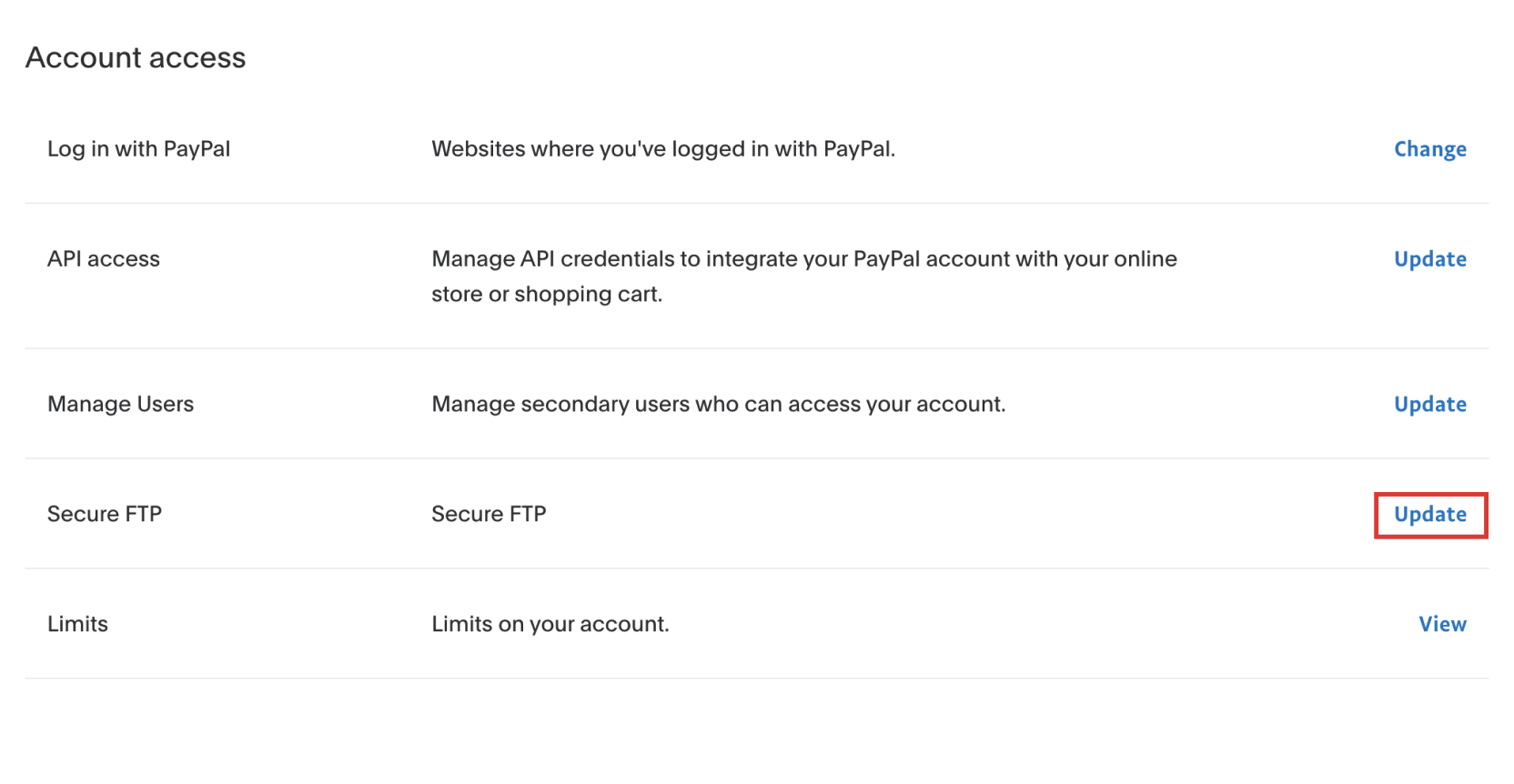
Click on your name in the upper right corner and then click Settings from the dropdown menu.
-
Click Update next to Secure FTP.
-
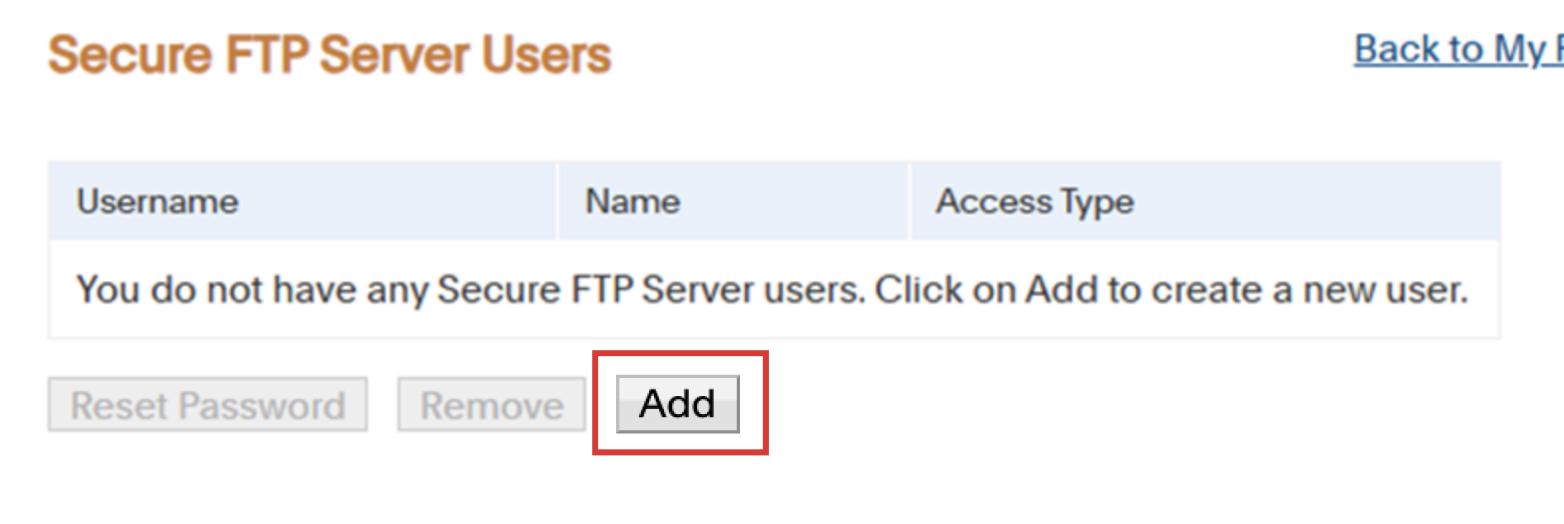
Add a user name using the Add button.
-
After creating the new username, securely send the username and password to [email protected]. The username normally starts with “sftp.” It will look similar to this: sftps8_XXX.paypal*****.com Note - an individual SFTP needs to be set up on each account if you have multiple.
Step 3 - Contact your PayPal relationship manager
Send your PayPal account manager the following reporting details request:
Hello [Name],

We recently partnered with Optimized Payments to help us manage our payments analytics.

They need access to our online reporting Merchant Account and Daily File Transmission.

Please activate this SFTP I have set up for them [add the SFTP site you just created].

Please set up the following:

- Set up a SFTP account for their server access

- Schedule reports to be sent to this site
   - Settlement – STL file
   - Dispute - DDR file

- Please choose the following options:
   - Delivery Method: SFTP (Secure FTP server)
   - File Type: CSV
   - Status: Subscribe
   - Delivery scheduled as “daily”

Please confirm once the setup is complete or if any additional information is needed.

Best Regards,
[Your Name]
Step 4 - Notify Optimized Payments
Once PayPal confirms file delivery is active, email [email protected] to let them know.
PayPal support: online help portal
For your information
-
The Harmonize team will verify delivery and begin ingesting data within 48 hours of receiving credentials and confirming active reports.
-
You will receive confirmation once ingestion is validated.
-
Files must stay on the SFTP site for 24 hours otherwise our system does not have time to pick them up.